


Focus Editor Philip explores why Fujifilm's Classic Negative Film Simulation has become his go-to for travel, environmental and street photography, illustrated with images from a recent trip to Albania
Photography gear used:
- Fujifilm X-T50 Mirrorless Camera
- Fujifilm XC 15–45mm f/3.5–5.6 OIS PZ Kit Lens
- Fujifilm Classic Negative Film Simulation
My Favourite Fujifilm Film Simulation Is Classic Negative: Here's Why You Need to Try It
One of the most defining elements of the Fujifilm camera ecosystem, in my opinion, are the Film Simulations you can apply to your photos.
I've tried lots of different simulations over the years, from Velvia in my early landscape days, to Astia for my Coastal North project, to Classic Chrome (probably my most-used) for day-to-day and travel work. But since upgrading from my Fujifilm X-T30 to the Fujifilm X-T50 camera, a simulation I'd never had access to before has completely changed how I process my images: Classic Negative.

Honestly, I just love everything about this aesthetic, and I've pretty much shot exclusively on it for all of my recent trips.
Read on to find out more about it, why you should consider trying it too, and see some images from the simulation in action.
What is a Fujifilm Film Simulation?
Before we dive in, you might be wondering what a Film Simulation from Fujifilm actually is.
Simply put, a Fujifilm Film Simulation is a carefully crafted in-camera look designed to recreate the character and aesthetic of classic film stocks, so you can take pictures with your digital camera that look like analogue images.
Built on decades of analogue film expertise, Fujifilm has been manufacturing photographic film since 1934, and you can see that expertise in every simulation. In my opinion, these Film Simulations can make your images look truly spectacular. There's no hint of over-editing when applying these, and you'll be left with images full of gorgeous colour palettes and filmic aesthetics.

Honestly, it was one of the main things that drew me to Fujifilm in the first place.
You can apply Film Simulations in-camera when shooting in JPEG or RAW, or in post-production via Lightroom (which I use primarily for my photography workflow) or Fujifilm's own software. It's worth noting that Film Simulations are exclusive to images taken with Fujifilm cameras. There is no way to use them with images from any other camera, and in my view, that's a big part of what makes Fujifilm so special.
"...a Fujifilm Film Simulation is a carefully crafted in-camera look, designed to recreate the character and aesthetic of classic film stocks..."
Also, rather than just recreating the analogue looks of the past, Fujifilm has pushed things further with its Film Simulations. Offering a huge range of styles with their own distinct personalities, some of which have been crafted from scratch (i.e., not resembling a historic film stock). Take a look at Fujifilm's dedicated Film Simulation page for the full overview.
What's more, Film Simulations have inspired an entire photography community to keep pushing and developing these gorgeous aesthetics in their own way, in the form of Film Simulation Recipes. These use a Film Simulation as a base, then layer in personal adjustments to suit individual shooting styles. I'd highly recommend trying this yourself. Whenever I apply a Film Simulation to my images, I always make additional tweaks on top. Sometimes it's as simple as adding grain, adjusting contrast, or exposure, but other times I go deeper to get my images looking exactly the way I want.
The Classic Negative Film Simulation: The Background and The Look (and Why I Love It)
Classic Negative was originally introduced in 2019 with the Fujifilm X-Pro3, so I'll admit I'm a little late to the party here. In my defence, my previous cameras simply didn't include it, and now that I have access to it on the X-T50, I completely understand what all the fuss was about.
Below is a before-and-after showing the difference when the simulation is applied. I've added a few of my own additional tweaks on top to get the final version I'm happy with, but you can clearly see how much of a difference the simulation alone makes.
Original Image With No Film Simulation:

Image with Classic Negative Film Simulation Applied:

To understand what makes Classic Negative so distinctive, it helps to know its origins. Unlike professional negative film, which was carefully controlled and stored under precise conditions, consumer negative film was the everyday stuff that most people used. The kind of film stock loaded into point-and-shoot cameras, forgotten about, and dropped off at the chemist's months later. More often than not, the chemistry in those rolls would shift, with colours veering towards cyan-green in the shadows, magenta creeping into the highlights, and the contrast hardening. The results were imperfect, lo-fi, and, many would say, beautiful.
This is exactly where Classic Negative gets its inspiration, and honestly, it's a big part of why I love it so much. It's a familiar look, one that so many of us grew up with without ever really thinking about it. In the digital age, it felt like that aesthetic might be lost forever, so it's genuinely exciting that Fujifilm have been innovative enough to recreate it for those of us who cherish that nostalgic, filmic quality. Fujifilm also describes the simulation as evoking the feeling of a day gone by, even a recent one, and I think that captures it perfectly.
You can read more about the Classic Negative Film Simulation on the Fujifilm Website.


I used Classic Chrome extensively for years, and there are some similarities. Both have that muted, nostalgic, editorial quality. But Classic Negative feels different; the colour rendering is richer and more complex, the contrast has more punch, and those hints of magenta in the highlights and cyan-green in the shadows give it a depth that Classic Chrome doesn't have. See the difference below:
Classic Chrome

Comparing the Classic Chome Film Simulation with the Classic Negative Film Simulation, while both feature muted, editorial tones, you can see that there's a stronger hint of magenta and cyan in the colour palette, as well as a deeper contrast:
Classic Negative

It also works beautifully with grain (which I always add to my images) and holds together well across a range of shooting conditions. For travel and street photography in particular, atmosphere should be everything, and Classic Negative brings plenty to the frame.
The muted tones and contrast keep it from feeling too clean or "digital-looking", while the colour depth adds to the story.
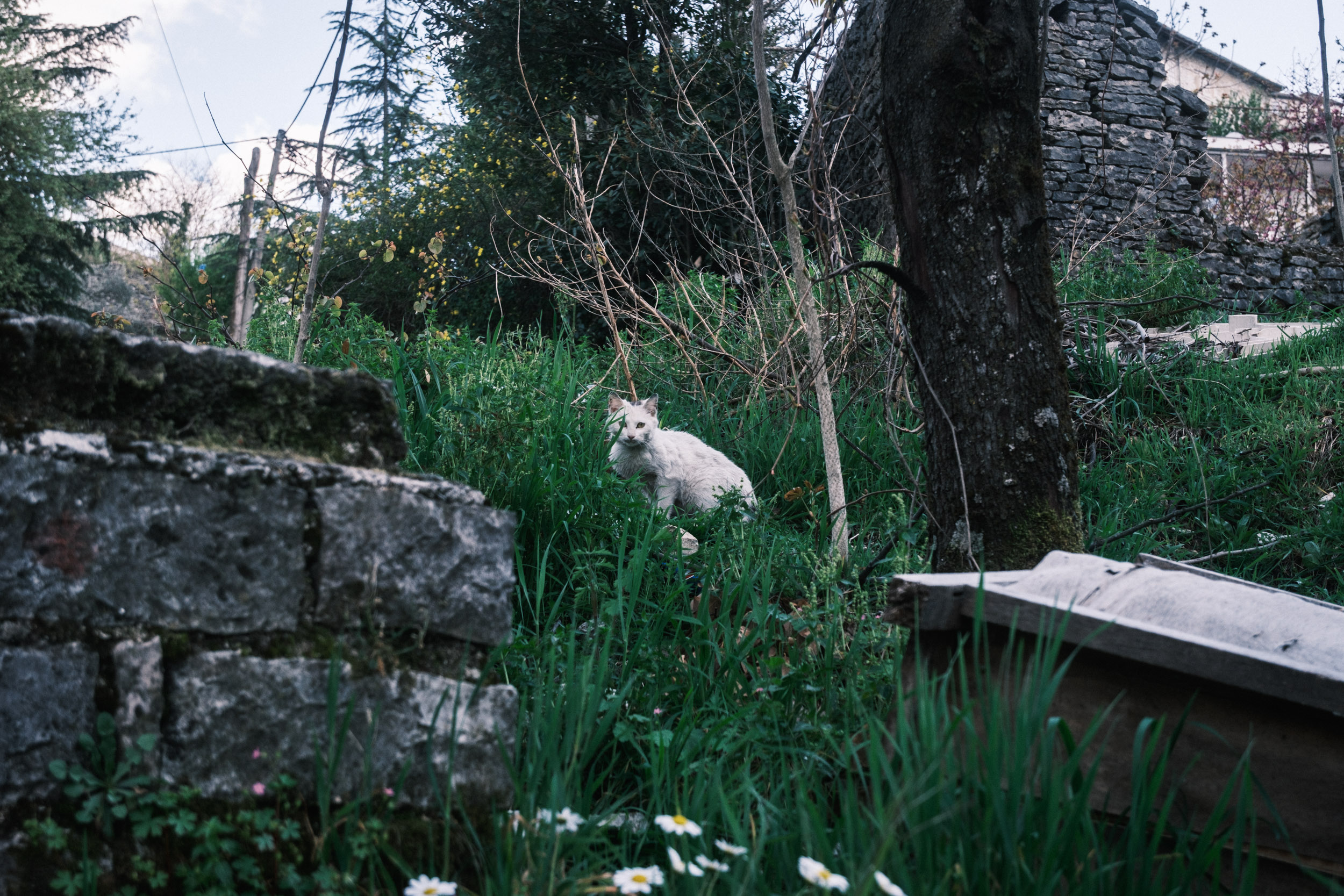
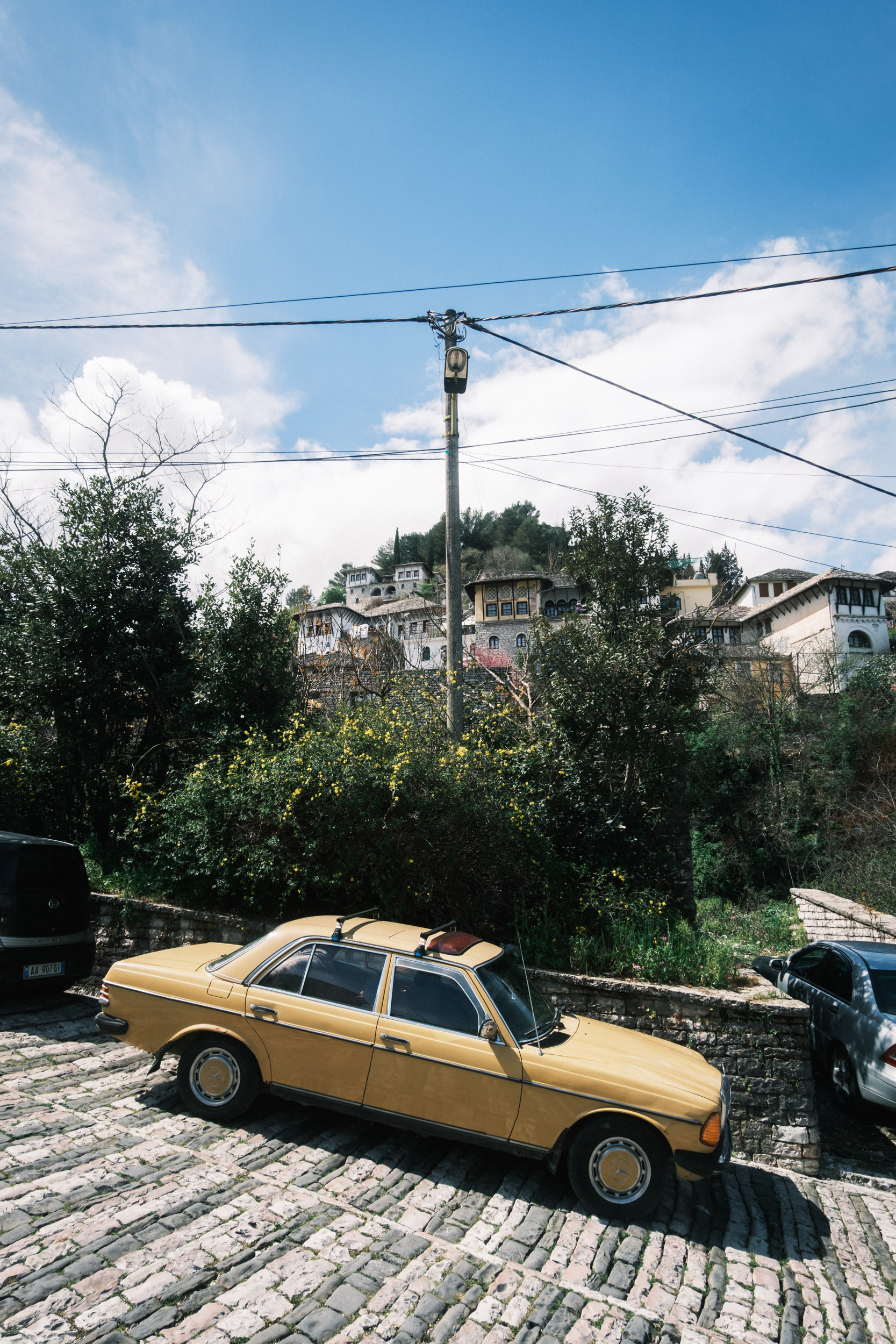
Below you'll see a gallery of more of my favourite images from a recent trip to Albania (as well as those dotted throughout this guide), processed with the Classic Negative Film Simulation. I hope you enjoy viewing them, and that it gives you some inspiration to give it a try, or, if you're not yet a Fujifilm photographer, to do some more research into the benefits Film Simulations can bring to your photography.
Gallery of Example Photos With The Classic Negative Film Simulation









Final Thoughts and Next Steps
For me, the Classic Negative Film Simulation has really added something to my portfolio, and for travel, environmental, and street photography in particular, I think it's a very hard simulation to beat. The combination of muted tones, punchy contrast, and colour shifts is something that, right now, I just can't get enough of.
If you're already shooting on a Fujifilm camera and haven't tried Classic Negative yet, I'd strongly encourage you to give it a go. You might find, like I did, that it quickly becomes a default.
And if you're not yet part of the Fujifilm ecosystem but this has piqued your curiosity, it might just be worth exploring. The Film Simulations alone are a compelling reason to make the switch, and Classic Negative is a brilliant example of why. A good place to start would be the Fujifilm X Series camera range, or if you'd like to understand the full range of Film Simulations available, the dedicated Film Simulation page is well worth a browse.
Whatever camera you're shooting on, I hope this has inspired you to think a little differently about the look and feel of your images, and to consider how a filmic, analogue aesthetic can add something new and beautiful to your work.
So there you have it, I hope I've made my case, and wherever you are on your journey, happy shooting!
If you're a Fujifilm photographer with a Picfair store, why not upload your Classic Negative (or any Film Simulation for that matter) shots and create a dedicated album? It's a great way to showcase a consistent look and feel, and buyers are always drawn to images with a strong, distinctive aesthetic. Classic Negative is exactly the kind of style that stands out.


